Table of Contents
Introduction
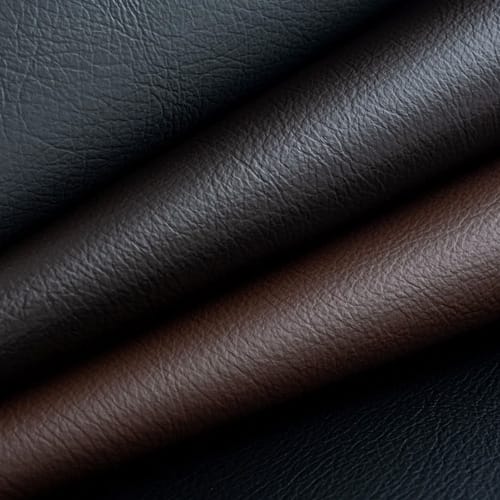
Faux leather prints can transform a relatively standard synthetic leather surface into a material with distinctive colors, geometric patterns, simulated grains, decorative graphics, tonal effects, or more complex visual identities. For industrial manufacturers, however, producing one attractive sample is much easier than reproducing the same surface consistently across long rolls and repeated production batches.
That difference is important.
Stable printing depends on the interaction of the substrate, surface coating, printing medium, roller condition, web tension, printing pressure, registration, line speed, drying, cooling, and any later embossing or finishing process. If one variable changes, the final appearance can change even when the printing pattern itself remains identical.
Synthetic or artificial leather can use layered structures involving polymer surfaces and supporting substrates, and those different constructions can respond differently during printing and finishing.
For manufacturers developing faux leather prints, the main production priorities are:
- Start with a stable and well-prepared substrate.
- Match the printing process to the required design.
- Control web tension rather than simply increasing it.
- Keep coating or printing-medium transfer consistent.
- Maintain accurate pattern registration.
- Balance pressure, speed, and drying conditions.
- Inspect color across both the width and length of the roll.
- Coordinate printing with embossing and other finishing stages.
- Test the surface after downstream processing.
- Record successful settings so they can be reproduced later.
The goal is not simply to put a pattern on synthetic leather. The goal is to build a repeatable surface-finishing process.
What Are Faux Leather Prints?
Faux leather prints are colors, patterns, graphics, grain simulations, or decorative effects applied to the surface of artificial leather.
They can be produced on materials such as:
- PU synthetic leather;
- PVC synthetic leather;
- coated fabrics;
- microfiber-based materials;
- textile-backed artificial leather;
- multilayer synthetic surfaces.
The finished design can range from subtle tonal variation to highly visible patterns.
Common examples include:
- geometric repeats;
- natural grain simulations;
- abstract patterns;
- floral surfaces;
- multicolor graphics;
- decorative lines;
- branding elements;
- shaded grain effects;
- matte-and-gloss combinations.
Printing Changes Appearance
Printing primarily changes visual characteristics through controlled color or coating placement.
A relatively smooth surface can therefore carry a detailed pattern without significant three-dimensional deformation.
Embossing Changes Surface Geometry
Embossing creates physical surface relief.
It forms raised and recessed structures that influence both visual depth and tactile feel. Printing and embossing can be used separately, but manufacturers can also combine them to create more sophisticated synthetic leather surfaces.
How Faux Leather Prints Are Produced
Industrial printing normally involves several connected operations rather than a single printing contact.
A simplified production sequence can be described as:
substrate inspection → unwinding → web guiding → surface preparation → printing → drying → cooling → inspection → additional finishing → rewinding.
Each stage influences the final result.
Substrate Inspection
Before printing begins, check whether the incoming material meets the required condition.
Useful inspection points include:
- surface cleanliness;
- material width;
- thickness consistency;
- wrinkles;
- surface coating;
- gloss;
- edge condition;
- dimensional stability.
Printing cannot fully compensate for a substrate that changes significantly across a roll.
Controlled Unwinding
The material should enter the line smoothly.
Sudden resistance or unstable unwinding can change web tension, which may affect pattern position or material dimensions.
Surface Preparation
The printing surface needs to be suitable for the selected printing medium.
Depending on the production system, preparation may involve cleaning, coating stabilization, or other pretreatment.
Pattern Transfer
The printing station applies the selected design.
Industrial equipment may use patterned rollers or other systems to control where and how much coating reaches the surface.
Jinzhihang’s Artificial Leather Two-Plate/Three-Plate Processing Machine is designed for artificial and synthetic leather surface processes including printing, color matching, gloss enhancement, and color modification.
Drying and Stabilization
The printed coating must stabilize before winding or additional processing.
This is especially important when later operations place the surface under heat, pressure, tension, or mechanical deformation.
Choosing the Right Method for Faux Leather Prints
Different designs create different manufacturing requirements.
A highly repetitive surface pattern is not the same production problem as frequently changing complex artwork.
Roller and Gravure-Type Printing
Roller-based printing is particularly useful for repeated continuous patterns.
The patterned roller transfers the surface design while the material travels through the production line.
Typical advantages include:
- continuous processing;
- repeatable pattern geometry;
- compatibility with roll materials;
- good production consistency after settings are established.
Mechanical condition is important because defects on a repeating roller surface can also repeat throughout the material.
Digital Printing
Digital printing provides greater freedom when artwork changes frequently.
Potential use cases include:
- detailed graphics;
- multiple designs;
- shorter production sequences;
- customized visual effects;
- product development samples.
The technology still needs to match the substrate, printing chemistry, working width, curing method, and required production output.
Transfer Printing
Transfer printing places the design on an intermediate medium before transferring it to the final surface.
Important process considerations can include:
- transfer temperature;
- pressure;
- material sensitivity;
- contact time;
- release behavior.
Multi-Stage Surface Processing
Some faux leather prints are created as part of a more complex finishing sequence rather than through one printing operation.
For example:
base color → decorative print → drying → embossing → color modification → surface protection.
This approach can create greater visual depth, but every additional step introduces another variable that needs to remain controlled.
Six Variables That Determine Faux Leather Print Quality
High-quality printing depends on the relationship between several operating conditions.
1. Substrate Stability
The starting material defines the surface available for printing.
Variations in surface coating, thickness, texture, elasticity, or cleanliness can produce differences in coating transfer.
A useful production rule is simple: when a defect appears only with one material batch, investigate the substrate before changing every machine setting.
2. Web Tension
Flexible synthetic leather changes dimensions when tension changes.
Too much tension can stretch the material. Too little may allow wrinkles or unstable tracking.
This becomes especially important with regular geometric designs, where even small dimensional changes can become visually obvious.
3. Printing Pressure
Pressure helps maintain contact between the printing system and surface.
Insufficient pressure can create incomplete transfer.
Excessive pressure may cause:
- blurred edges;
- excessive coating spread;
- surface compression;
- pattern distortion.
The objective is controlled contact, not maximum force.
4. Printing Medium Consistency
The printing formulation should remain within its established operating condition.
Changes can affect:
- color density;
- coating transfer;
- edge sharpness;
- drying behavior;
- surface appearance.
For recurring designs, material formulation should therefore be part of the documented process recipe.
5. Line Speed
Speed influences more than production volume.
It can affect:
- printing contact;
- drying time;
- heating exposure;
- web stability;
- downstream cooling.
The useful speed is not necessarily the machine’s highest possible speed. It is the speed at which acceptable faux leather prints can be produced consistently.
6. Drying Conditions
Printed coatings need sufficient stabilization.
If drying is inadequate, problems may appear later during winding or finishing rather than directly at the printing station.
On the other hand, unnecessary thermal exposure may influence sensitive substrates.
The required drying condition should therefore be developed together with line speed and material structure.
Faux Leather Prints vs Embossed Faux Leather
Printing and embossing are closely related surface-finishing methods, but they solve different design problems.
| Comparison Factor | Faux Leather Prints | Embossed Faux Leather |
|---|---|---|
| Main surface change | Color and visual pattern | Physical texture |
| Three-dimensional depth | Usually limited | Significant depending on grain |
| Main tooling | Printing system or patterned roller | Embossing roller/tool |
| Multicolor capability | Strong | Requires additional coloring process |
| Key control issue | Registration and transfer | Heat, pressure and texture retention |
| Web tension importance | High | High |
| Pattern alignment | Critical for structured designs | Critical when coordinated with printing |
| Typical purpose | Graphic and color design | Grain and tactile structure |
The two methods should not automatically be viewed as alternatives.
In many synthetic leather designs, the strongest visual result comes from combining them.
How Printing and Embossing Can Work Together
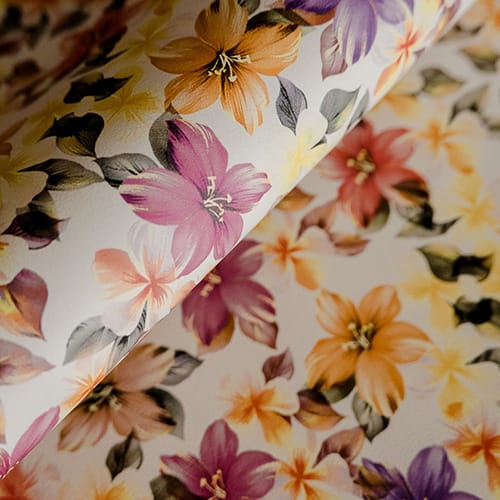
A flat printed design can gain much more depth after embossing.
However, combining the processes increases the need for dimensional control.
Print First, Emboss Later
In this sequence, color is applied before the physical texture is formed.
Embossing can change how light reflects from the printed surface, making parts of the pattern appear darker or lighter even when the printed formulation itself has not changed.
For this reason, the final surface should be approved after embossing when embossing is part of the normal production route.
Emboss First, Print Later
Printing after embossing can highlight selected areas of the grain.
Depending on roller geometry and process settings, more color may be deposited on raised regions than in recessed areas.
This can create a layered visual effect.
Registered Printing and Embossing
More demanding designs intentionally align printed color with specific embossed structures.
These products require tighter control of:
- pattern repeat;
- web tension;
- material dimensions;
- roller synchronization;
- process speed.
A small amount of stretching between operations can gradually shift the print away from the embossed grain.
Why Registration Matters for Faux Leather Prints
Registration describes the positional relationship between different parts of a printed pattern.
It becomes particularly important in multicolor designs.
Imagine three printing stations applying three elements of one geometric pattern.
If the material stretches slightly between station one and station two, the second color no longer reaches exactly the expected position.
If that dimensional change continues, the registration difference can become increasingly noticeable.
Signs of Registration Problems
Look for:
- color outlines that no longer match;
- double edges;
- distorted geometry;
- gradual pattern movement;
- inconsistent repeat spacing.
Find the Pattern of the Error
Ask:
Does the error remain constant?
Does it become larger through the production run?
Does it appear mainly during acceleration?
Does it happen only with a highly elastic substrate?
Those answers often reveal more than immediately adjusting roller positions.
How to Prevent Common Faux Leather Print Defects
A structured troubleshooting method is usually more effective than changing several parameters at once.
Uneven Color
Potential causes include:
- substrate inconsistency;
- uneven printing-medium transfer;
- roller pressure variation;
- formulation changes;
- drying differences;
- contamination.
If one side of the roll consistently looks different, investigate cross-web machine conditions.
Blurred Pattern
Possible causes include:
- excessive pressure;
- excessive coating transfer;
- unstable web movement;
- inappropriate printing-medium condition;
- contaminated rollers.
Sharp patterns require controlled transfer rather than simply more coating.
Missing Print Areas
Localized weak areas may indicate:
- poor surface contact;
- contamination;
- roller damage;
- insufficient transfer;
- substrate irregularity.
If the defect repeats at a regular interval, inspect rotating components.
Wrinkles
Wrinkles often begin in web handling.
Check whether they first appear during:
- unwinding;
- guiding;
- printing;
- drying;
- rewinding.
If a wrinkle exists before the printing point, changing the printing formulation will not solve its root cause.
Poor Surface Adhesion
A visually acceptable pattern can still perform poorly later.
Potential factors include:
- surface contamination;
- incompatibility between coating and substrate;
- insufficient stabilization;
- inappropriate surface preparation.
Test adhesion after the material has stabilized rather than judging only immediately after printing.
A Practical Defect Diagnosis Matrix
| Defect | First Area to Check | Other Possible Causes |
|---|---|---|
| Uneven color | Printing-medium transfer | Substrate or drying variation |
| Blurred edges | Pressure and coating amount | Web movement |
| Registration shift | Web tension | Roller synchronization |
| Missing areas | Surface contact | Contamination or roller condition |
| Repeating mark | Rotating components | Roller buildup or damage |
| Wrinkles | Web handling | Misalignment or tension |
| Color drift | Process stability | Formulation or drying changes |
| Weak adhesion | Surface preparation | Coating compatibility |
| Pattern stretching | Material tension | Dimensional instability |
| Gloss variation | Surface/process conditions | Pressure or drying |
This type of matrix helps operators investigate likely root causes instead of relying on random trial-and-error adjustments.
Quality Control for Faux Leather Prints
Quality control should cover the entire roll rather than one convenient section.
Inspect Left, Center, and Right
Check samples from different positions across the working width.
This can reveal:
- pressure differences;
- substrate variation;
- transfer inconsistency;
- drying differences;
- web-position problems.
Inspect Beginning, Middle, and End
Longer runs can gradually drift.
Comparing material from different production stages helps identify changes that may not be visible during startup.
Compare Against an Approved Reference
The reference sample can define:
- color;
- pattern sharpness;
- gloss;
- visual density;
- overall appearance.
Using a physical approved reference is generally more reliable than depending entirely on operator memory.
Evaluate Pattern Repeat
For regular designs, measure whether the pattern continues to reproduce consistently.
A gradual change in repeat length can indicate material stretching or synchronization issues.
Test Faux Leather Prints After Downstream Processing
Surface approval should reflect how the material will actually be manufactured and used.
Depending on the production route, the material may later undergo:
- embossing;
- laminating;
- coating;
- cutting;
- folding;
- sewing.
Flexing Test
Bending the printed surface can expose problems that are difficult to see when the material remains flat.
Observe whether the surface develops:
- cracking;
- whitening;
- coating separation;
- visible gloss changes.
Embossing Test
Heat and pressure may alter printed appearance.
Compare the printed sample before and after embossing.
Lamination Test
Where printed material is later laminated, verify that bonding conditions and web tension do not change the surface pattern.
Finished-Component Test
A production roll can look satisfactory but behave differently during cutting, sewing, or forming.
Testing the material through its real downstream operation provides more useful information than judging appearance alone.
How to Build a Repeatable Faux Leather Printing Process
The strongest industrial process is one that can be reproduced after the machine has been changed over to another product.
Create a Production Recipe
Record the conditions for every regular pattern.
A recipe can include:
- substrate code;
- material thickness;
- working width;
- pattern identification;
- printing formulation;
- printing roller;
- roller pressure;
- web tension;
- line speed;
- drying conditions;
- finishing sequence;
- approved reference.
Jinzhihang’s guide to choosing a faux leather printing press similarly treats printing technology, production requirements, and equipment selection as connected decisions rather than isolated specifications.
Use First-Run Approval
After a material, pattern, or major process change, produce a limited initial section.
Approve it before processing a complete production run.
This can reduce the amount of material affected by incorrect startup conditions.
Reproduce an Earlier Product
A useful repeatability test is:
Product A → Product B → Product A again.
If operators can return to the original appearance with limited adjustment, the process is becoming standardized.
If they must rebuild the settings through repeated trial and error, more process documentation may be needed.
Choosing Equipment for Faux Leather Prints
Equipment selection should begin with the finished material you intend to produce.
Before defining the machine configuration, prepare information about:
- substrate type;
- coating structure;
- thickness;
- working width;
- desired pattern;
- number of colors;
- pattern repeat;
- production continuity;
- required surface finish;
- upstream process;
- downstream process.
Evaluate the Difficult Product First
Do not build your machine evaluation around the easiest pattern and most stable substrate.
Test the combinations most likely to challenge the process.
Examples include:
- highly elastic material;
- fine geometric print;
- several aligned colors;
- wide roll;
- surface requiring later embossing;
- frequent pattern changes.
If the printing process remains stable under these conditions, it provides much more meaningful evidence of industrial capability.
Maximum Speed Is Not the Main Quality Indicator
A printing system can move material quickly and still produce unusable output.
The more useful question is:
At what speed can it maintain acceptable color, pattern definition, registration, drying, and dimensional stability?
Usable output matters more than mechanical maximum speed.
Maintenance That Protects Faux Leather Print Quality
Printing equipment gradually changes through normal operation.
Maintenance should therefore be treated as part of surface-quality control.
Roller Cleaning
Printing residues can accumulate on roller surfaces and fine pattern structures.
This may alter coating transfer and pattern definition.
Roller Inspection
Check for:
- scratches;
- surface damage;
- contamination;
- uneven wear.
A localized roller defect may reproduce itself hundreds of times during a long run.
Web-Handling Inspection
Guides, bearings, drives, sensors, and tension components influence pattern accuracy.
Web-handling problems can sometimes appear to be printing problems even when the printing station is functioning correctly.
Drying-System Inspection
Drying should remain reasonably consistent across the material width.
Changes in heating or airflow can contribute to different surface conditions from one section of the material to another.
Common Production Mistakes to Avoid
Approving Only the First Sample
Startup quality does not guarantee continuous production stability.
Inspect through the run.
Changing Several Variables at Once
If operators simultaneously change speed, pressure, tension, and drying conditions, it becomes difficult to identify which change improved the result.
Controlled adjustments create more useful process knowledge.
Ignoring the Incoming Material
Not every color difference is a printing-machine problem.
Compare the substrate whenever unexpected variation appears.
Using the Highest Possible Pressure
Higher pressure can sometimes make pattern definition worse by increasing coating spread.
Use the pressure required for stable transfer.
Ignoring Downstream Processes
The final customer does not use the surface directly at the printing station.
Evaluate the material after the processes it will actually experience.
Depending Entirely on Operator Memory
Experienced operators provide valuable knowledge, but that knowledge becomes more useful when converted into documented settings and repeatable procedures.
Conclusion
Consistent faux leather prints are created by controlling the complete surface-printing process, not by focusing only on the pattern roller or color formulation.
Substrate condition, web tension, printing pressure, coating transfer, registration, production speed, drying, embossing, and downstream handling all influence final appearance.
The most effective industrial approach is to work systematically.
Start with stable material. Establish an approved reference. Test the full working width. Monitor longer production runs. Record successful settings. Investigate defects according to where and how they appear. Finally, evaluate the surface after embossing, lamination, cutting, or any other operation the material will actually undergo.
When manufacturers can reproduce the same visual result after material changes, pattern changes, and repeated production runs, faux leather printing has moved beyond sample making and become a controlled manufacturing process.
That repeatability is the foundation of reliable faux leather prints.
FAQ
What are faux leather prints?
Faux leather prints are colors, graphics, grain simulations, geometric designs, or decorative patterns applied to synthetic leather surfaces. Industrial production can use roller, gravure, digital, transfer, or other surface-printing processes depending on the substrate and design requirements.
What materials can be used for faux leather prints?
PU, PVC, coated fabrics, microfiber-based structures, and other suitable artificial leather materials can be printed. The correct process depends on surface chemistry, thickness, elasticity, backing, heat sensitivity, and compatibility between the substrate and printing medium.
Why do faux leather prints become blurred?
Blurred patterns can result from excessive printing pressure, too much coating transfer, unstable web tension, unsuitable printing-medium conditions, surface contamination, or roller buildup. The process should be checked systematically rather than increasing pressure automatically.
How can faux leather prints maintain consistent color?
Use a stable substrate, approved reference sample, controlled printing formulation, clean rollers, consistent pressure, suitable drying, and regular inspections across both the width and length of the roll. Recording validated process settings also improves repeatability between production batches.
Can faux leather prints be combined with embossing?
Yes. Printing provides color and graphics, while embossing creates physical texture. Printing may be completed before or after embossing depending on the desired effect. Designs that align color with a specific grain require particularly stable web tension and pattern registration.