Table of Contents
Introduction
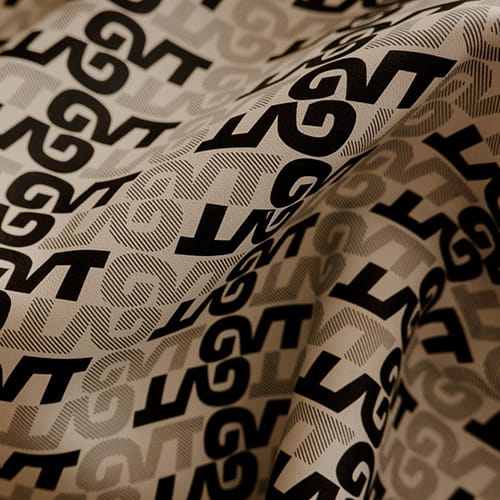
Faux leather prints can turn a standard synthetic leather surface into a material with distinctive color, graphics, repeated motifs, grain effects, or decorative finishes. In industrial production, however, an attractive pattern is only part of the quality equation. The print must also remain uniform across the roll, adhere properly to the surface, tolerate downstream processing, and reproduce reliably from one production batch to the next.
This is where manufacturing becomes more complex.
A printed sample may look excellent immediately after leaving the printing unit but later reveal registration errors, color variation, cracking, poor adhesion, gloss differences, or distortion after embossing and lamination. For manufacturers, evaluating faux leather prints therefore means looking beyond appearance and examining the entire surface-processing sequence.
The most important factors include:
- substrate surface condition;
- printing technology;
- coating and ink compatibility;
- web tension and material stability;
- printing pressure and registration;
- drying and curing conditions;
- downstream embossing or finishing.
The following guide explains how these variables interact and how manufacturers can build a more repeatable production process for PU, PVC, and other synthetic leather materials.
What Are Faux Leather Prints?
Faux leather prints are decorative or functional patterns applied to synthetic leather surfaces through industrial printing and surface-finishing methods.
The base material is generally a type of faux leather, also referred to as artificial or synthetic leather. Such materials are designed to provide leather-like appearance or performance and can be produced in different structures for upholstery, footwear, bags, decorative products, and other applications.
Printing can add:
- geometric patterns;
- floral designs;
- abstract graphics;
- tonal effects;
- color gradients;
- branding elements;
- simulated natural grains;
- decorative lines;
- layered visual effects.
Unlike embossing, which physically forms a three-dimensional texture, printing primarily changes the visual surface by placing color or coating material in controlled areas.
The two processes can also work together. A printed pattern can provide visual depth while embossing introduces tactile structure.
Faux Leather Prints vs Solid-Color Synthetic Leather
Solid-color synthetic leather usually relies on a relatively uniform surface color.
Faux leather prints introduce variation across the surface. This creates more design possibilities but also increases the number of production variables that need to remain controlled.
For example, a small difference in web tension may have little visible effect on a plain surface but can become obvious when a repeating geometric pattern begins to shift.
1. Start With the Right Faux Leather Substrate
One of the most important production lessons is that printing cannot fully correct an unstable substrate.
The quality of faux leather prints begins with the surface entering the printing machine.
Surface Uniformity
The printing surface should be reasonably consistent in:
- thickness;
- texture;
- coating condition;
- gloss;
- cleanliness;
- flexibility.
If one section of the roll absorbs or accepts the printing medium differently from another, visible color variation can result even when the printing machine remains unchanged.
PU and PVC Surface Behavior
PU and PVC artificial leather can react differently to printing conditions.
The manufacturer should therefore consider:
- surface coating chemistry;
- heat sensitivity;
- flexibility;
- backing structure;
- surface texture;
- coating adhesion.
A printing condition developed for one material should not automatically be copied to another.
Surface Cleanliness
Dust, oil, processing residue, loose fibers, and other contamination can interfere with coating transfer and adhesion.
Small particles can also create repeating defects if they accumulate on printing rollers.
A clean substrate does not guarantee good printing, but a contaminated one makes consistent results difficult.
2. Choose a Printing Method That Matches the Product
Different faux leather prints require different process capabilities.
A large repeating decorative pattern does not create the same production challenge as a fine multicolor graphic.
Roller and Gravure Printing
Roller-based printing is particularly suitable for continuous material production.
An engraved or patterned roller transfers the selected coating or color onto the moving synthetic leather surface.
This method can be effective for:
- repeated patterns;
- long production runs;
- continuous roll processing;
- controlled pattern repetition;
- standardized designs.
Roller accuracy becomes important because a mechanical defect can reproduce itself continuously throughout a roll.
Multi-Stage Surface Printing
Some faux leather prints require more than one surface-processing stage.
A manufacturer may combine:
printing → color adjustment → gloss treatment → embossing → protective finishing.
Industrial artificial leather surface processing equipment can be configured for printing, color matching, gloss enhancement, and related surface-treatment processes for PU and PVC artificial leather.
The important point is that these operations should not be optimized independently. The output from one stage becomes the input condition for the next.
Digital Printing
Digital technology offers another route for more complex or frequently changing designs.
It can be useful when the manufacturer prioritizes:
- design flexibility;
- multiple graphics;
- detailed images;
- fast pattern changes;
- customized surface concepts.
For continuous industrial output, however, machine speed, coating compatibility, curing, working width, and integration with other processes still need to be evaluated.
3. Control Color and Printing Medium Consistency
Color is often the first thing a customer notices in faux leather prints.
It is also one of the easiest characteristics to judge inconsistently unless the factory has a defined reference.
Establish an Approved Sample
An approved reference should define more than basic color.
Depending on the product, it may also establish:
- pattern density;
- contrast;
- gloss;
- visual depth;
- texture relationship;
- edge definition.
This reference becomes the benchmark against which production samples are compared.
Control the Printing Medium
Changes in printing-medium condition can alter transfer performance.
Manufacturers may need to monitor factors such as:
- viscosity;
- mixing uniformity;
- solids distribution;
- working condition;
- drying behavior.
The exact parameters depend on the printing system and formulation.
What matters operationally is consistency.
If the printing medium changes during a long production run, the appearance of the material may gradually change even though the machine settings remain identical.
Record Successful Production Recipes
Once acceptable faux leather prints have been produced, document the conditions.
A useful process record may include:
- substrate identification;
- material thickness;
- pattern roller;
- printing formulation;
- printing speed;
- roller pressure;
- drying condition;
- web tension;
- finishing sequence.
This turns a successful trial into a repeatable process rather than a one-time result.
4. Keep Web Tension Stable
Web tension is one of the less visible but most influential variables in continuous printing.
Flexible synthetic leather does not behave like a rigid board. It can stretch, shrink, wrinkle, shift, or curl as it moves through processing equipment.
What Happens When Tension Is Too High?
Excessive tension may cause:
- material elongation;
- reduced width;
- pattern stretching;
- registration errors;
- curling after tension is released.
This is particularly important when a printed design contains precise geometry.
A small amount of material elongation may change the spacing between repeated pattern elements.
What Happens When Tension Is Too Low?
Insufficient tension can contribute to:
- wrinkles;
- unstable tracking;
- uneven roller contact;
- pattern movement;
- inconsistent printing pressure.
The correct setting is therefore not simply “high tension” or “low tension.”
It is stable tension appropriate to the substrate.
Tension Between Multiple Printing Stations
Multicolor faux leather prints can be especially sensitive.
If one color is printed first and the substrate stretches before reaching the next station, the second image may no longer align precisely with the first.
That produces registration errors even when both printing rollers are mechanically accurate.
5. Balance Printing Pressure, Speed, and Registration
Production settings should be evaluated as interacting variables.
Increasing one parameter can change how the others behave.
Printing Pressure
Pressure influences contact between the printing system and substrate.
Insufficient contact can produce:
- incomplete transfer;
- weak pattern areas;
- uneven color coverage.
Excessive pressure may:
- distort soft materials;
- alter surface texture;
- spread the printing medium;
- reduce pattern definition.
More pressure is therefore not automatically better.
Line Speed
The usable production speed is the speed at which quality remains stable.
A higher mechanical speed has little practical value if it causes:
- incomplete drying;
- registration errors;
- inconsistent coating transfer;
- unstable web handling.
For this reason, production output should be judged by acceptable finished material rather than machine speed alone.
Registration Accuracy
Registration refers to the alignment of different printed elements.
Poor registration is particularly visible in:
- multicolor graphics;
- geometric patterns;
- repeated lines;
- prints designed to align with embossing.
When registration changes, examine the entire material-handling path before assuming that the patterned roller itself is inaccurate.
Faux Leather Prints: Key Production Variables
| Production Variable | What It Controls | Common Risk When Unstable |
|---|---|---|
| Substrate surface | Ink/coating acceptance | Uneven appearance |
| Web tension | Material dimensional stability | Distorted patterns |
| Printing pressure | Transfer consistency | Weak or blurred print |
| Line speed | Contact and drying time | Incomplete stabilization |
| Printing medium | Color and coating transfer | Shade variation |
| Roller alignment | Pattern positioning | Registration errors |
| Drying conditions | Surface stabilization | Smearing or poor adhesion |
| Embossing coordination | Print-texture relationship | Misaligned visual effects |
| Rewinding tension | Finished roll stability | Curling or deformation |
| Roller cleanliness | Surface consistency | Repeating marks |
The table also shows why troubleshooting faux leather prints should rarely focus on just one machine setting.
A visible defect can begin several process stages before it becomes obvious.
6. Match Drying Conditions to the Printing Process
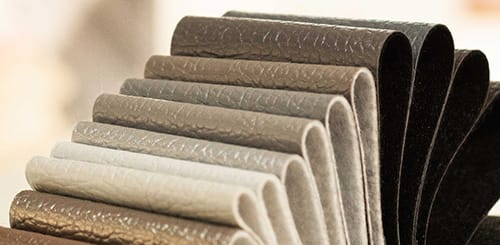
After printing, the applied surface layer needs sufficient stabilization before further processing.
Drying is therefore part of printing quality, not merely a stage that happens afterward.
Insufficient Drying
When the printing layer has not stabilized properly, manufacturers may see:
- smearing;
- surface transfer;
- blocking during winding;
- poor downstream handling;
- unstable adhesion.
Excessive Thermal Exposure
More heat is not automatically safer.
Excessive thermal exposure can potentially affect:
- material dimensions;
- flexibility;
- surface gloss;
- backing structure;
- printed appearance.
The correct condition depends on the substrate, coating system, line speed, and thickness of the applied layer.
Why Line Speed Matters
A change in production speed changes the material’s residence time within the drying section.
This means that a successful temperature setting at one speed should not automatically be assumed to perform identically at a significantly different speed.
The relationship between printing speed and drying conditions should therefore be part of the validated production recipe.
7. Coordinate Printing With Embossing and Finishing
One of the biggest opportunities in faux leather prints is combining color and texture.
This is also where process control becomes more demanding.
Printing Before Embossing
When the design is printed first, embossing later changes how light interacts with the surface.
Raised and recessed areas can make the same color appear visually different.
For this reason, final approval should be based on the finished embossed material, not only on the flat printed sample.
Printing After Embossing
Printing an already textured surface presents a different challenge.
The printing medium may contact raised areas differently from recessed sections.
This can be useful when the desired design intentionally highlights only certain parts of the grain, but roller pressure and coating behavior need careful control.
Pattern-to-Texture Registration
Some faux leather prints are designed to interact directly with the embossed structure.
For example, a darker print may be intended to sit precisely in selected recessed areas.
In this case, the manufacturer must control both:
- print registration;
- embossing registration.
Dimensional variation between the two operations can make alignment progressively drift across the roll.
Faux Leather Prints vs Embossed Faux Leather
Although printing and embossing are frequently combined, they create different effects.
| Feature | Faux Leather Prints | Embossed Faux Leather |
|---|---|---|
| Main purpose | Color and graphic design | Physical texture |
| Surface depth | Mostly visual | Three-dimensional |
| Pattern creation | Printing transfer | Mechanical surface forming |
| Multicolor capability | High | Requires added coloring process |
| Registration sensitivity | High for complex designs | High when aligned with printing |
| Key variables | Coating, tension, pressure, drying | Pressure, temperature, texture roller |
| Typical result | Decorative visual pattern | Grain and tactile structure |
Neither process replaces the other.
Printing controls what the user sees, while embossing strongly influences what the user sees and feels.
For more complex surfaces, manufacturers can deliberately combine the two.
Common Defects in Faux Leather Prints
Efficient troubleshooting begins by identifying the first point where a defect appears.
Uneven Color
Possible causes include:
- substrate variation;
- changing printing-medium condition;
- inconsistent roller pressure;
- drying variation;
- contaminated components.
If color variation always appears in the same position across the material width, examine machine-related factors before changing the formulation.
Blurred Pattern Edges
Possible causes include:
- excessive transfer;
- unsuitable viscosity;
- excessive pressure;
- unstable material movement;
- roller contamination.
Sharp pattern edges require controlled transfer rather than simply applying more printing material.
Missing or Weak Areas
If part of the pattern appears lighter or incomplete, inspect:
- substrate contact;
- roller pressure;
- surface contamination;
- coating distribution;
- roller condition.
A repeating weak area at the same interval may point toward a rotating component.
Registration Shift
Registration errors can result from:
- web stretching;
- unstable tension;
- roller synchronization issues;
- tracking changes;
- material shrinkage.
When working with multiple colors, determine whether the error increases gradually or remains constant.
A gradually increasing shift can indicate a dimensional or synchronization problem.
Repeating Surface Marks
A defect appearing at regular intervals often provides a useful diagnostic clue.
Measure the repetition distance and compare it with rotating components within the printing system.
This can narrow the investigation much faster than randomly changing process parameters.
How to Evaluate Faux Leather Prints Before Full Production
A visually attractive small sample should not be the only basis for approving industrial production.
The test should reproduce real processing conditions.
Test Across the Actual Material Range
Prepare samples representing:
- normal substrate;
- thinnest regular material;
- thickest regular material;
- softest material;
- most textured surface;
- widest production roll.
This helps reveal whether one machine recipe can cover the required range or whether separate settings are necessary.
Evaluate More Than Color
Useful evaluation points include:
- pattern clarity;
- color consistency;
- registration;
- adhesion;
- gloss;
- surface feel;
- flexibility;
- dimensional stability.
Inspect Across the Width
A center sample does not tell you what happens at the edges.
Check the left, center, and right sections of the roll.
Differences can reveal:
- uneven roller pressure;
- heating differences;
- coating distribution problems;
- guiding issues.
Inspect Through the Production Length
Compare material near the beginning, middle, and later sections of the run.
This helps reveal gradual process drift.
Test Faux Leather Prints After Downstream Processing
A print should not be considered successful simply because it looks good immediately after production.
Manufacturers should evaluate the material in the condition in which it will actually be used.
Depending on the product route, testing may include:
printing → drying → embossing → lamination → cutting → sewing → assembly.
Flexing
Repeated bending can reveal problems that are not visible on a flat sample.
Watch for:
- cracking;
- whitening;
- separation;
- gloss changes.
Embossing
Check whether heat and pressure alter:
- color;
- registration;
- gloss;
- adhesion.
Lamination
If the printed material will later be laminated, examine whether heat or processing tension affects the printed surface.
Cutting and Sewing
Printed surfaces used for finished goods may also need to tolerate folding, sewing, and edge handling without surface damage.
The most meaningful quality test is therefore often the next manufacturing operation.
Building Repeatable Faux Leather Prints
The strongest production advantage is not creating one exceptional sample. It is creating the same acceptable result repeatedly.
A practical production-control system should include several steps.
Create a Product Recipe
For each recurring design, record:
- substrate specification;
- pattern identification;
- roller configuration;
- printing-medium specification;
- tension settings;
- line speed;
- printing pressure;
- drying conditions;
- finishing requirements;
- inspection reference.
Approve the First Production Section
After changing material, pattern, or printing conditions, produce a limited section first.
Inspect it before continuing the entire roll.
This catches setup errors early.
Keep Reference Samples
Approved reference samples allow future production batches to be compared with actual material rather than relying entirely on photographs, display screens, or memory.
Monitor Production Drift
A process can begin correctly and change gradually.
Potential sources include:
- viscosity changes;
- roller contamination;
- temperature drift;
- tension changes;
- substrate variation.
Scheduled in-process inspection helps identify these changes before the full production run is affected.
Selecting Machinery for Faux Leather Prints
Equipment selection should start with the products you want to manufacture.
Before defining a printing system, manufacturers should clarify:
- PU, PVC, or other substrate;
- working width;
- material thickness;
- desired pattern;
- number of colors;
- expected texture;
- surface coating requirements;
- production continuity;
- upstream operations;
- downstream finishing.
The working principles described for an industrial leather printing machine illustrate why material feeding, pattern transfer, roller pressure, drying, and control systems must operate together rather than as separate functions.
Think Beyond Maximum Machine Specifications
Maximum width, maximum speed, or maximum heating capability can be useful specifications, but they do not define actual production quality.
A better question is:
Can the machine produce your required faux leather prints repeatedly under normal production conditions?
That requires testing the real substrate, pattern, speed, and downstream process.
Consider Product Changeovers
Manufacturers producing many designs should pay attention to how easily operators can change:
- rollers;
- colors;
- materials;
- tension settings;
- drying conditions;
- surface treatments.
Fast changeover is useful only when the previous settings can also be recovered reliably.
A Practical Quality-Control Workflow
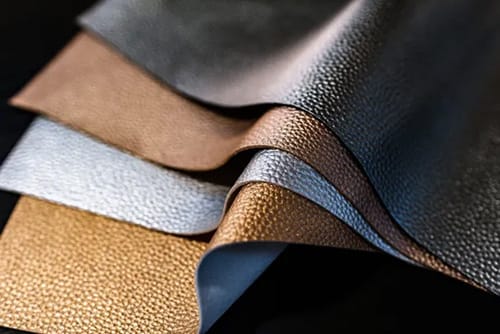
A structured workflow helps separate process control from subjective visual judgment.
Before Production
Verify:
- substrate identity;
- pattern specification;
- approved reference;
- machine cleanliness;
- roller condition;
- process recipe.
At Startup
Check:
- tracking;
- pattern alignment;
- color;
- printing coverage;
- drying;
- surface appearance.
During Production
Monitor:
- left-center-right color consistency;
- registration;
- web tension;
- repeating defects;
- drying stability;
- material dimensions.
After Production
Inspect:
- final roll appearance;
- adhesion;
- flexibility;
- pattern consistency;
- rewinding condition.
After Downstream Processing
Confirm that the surface remains acceptable after the processes relevant to the final product.
This last stage is important because a defect that appears during embossing or sewing may originate in printing.
Conclusion
High-quality faux leather prints are the result of controlled interaction between the substrate, printing system, printing medium, web tension, roller pressure, line speed, drying, embossing, and final surface finishing.
The pattern itself is only one part of the manufacturing challenge.
For industrial production, the more important question is whether the same pattern can be reproduced consistently across the full material width, throughout a long production run, and again during the next batch.
Manufacturers can improve that consistency by beginning with stable substrates, documenting successful machine settings, controlling tension and registration, inspecting material during production, and testing printed surfaces after downstream operations.
The most reliable approach is to treat faux leather prints as part of an integrated surface-finishing process. When printing, drying, embossing, lamination, and material handling are coordinated instead of optimized separately, the final synthetic leather surface becomes easier to control and reproduce.
FAQ
What are faux leather prints?
Faux leather prints are decorative colors, graphics, repeating motifs, grain effects, or other visual patterns applied to synthetic leather surfaces. PU and PVC materials can be printed using different industrial processes depending on substrate structure, design complexity, and finishing requirements.
How are faux leather prints produced?
They can be produced through roller, gravure, screen, transfer, digital, or multi-stage surface-processing methods. Industrial production typically includes substrate preparation, tension-controlled feeding, pattern transfer, drying, inspection, and sometimes additional embossing or protective finishing.
Can faux leather prints be combined with embossing?
Yes. Printing provides color and visual patterns, while embossing creates physical grain and texture. Manufacturers can print before or after embossing, depending on the desired effect. Designs that require print-to-texture alignment need especially accurate tension and registration control.
Why do faux leather prints have uneven colors?
Uneven color may come from substrate variation, inconsistent printing-medium viscosity, uneven roller pressure, contamination, tension changes, or unstable drying. Checking where the difference first appears helps distinguish a material problem from a mechanical or process-control issue.
How can manufacturers improve the quality of faux leather prints?
Use stable substrates, documented process recipes, controlled web tension, accurate roller alignment, consistent printing media, suitable drying conditions, and regular in-process inspection. Quality should also be checked after embossing, lamination, flexing, cutting, or other downstream operations.