Table of Contents
Introduction
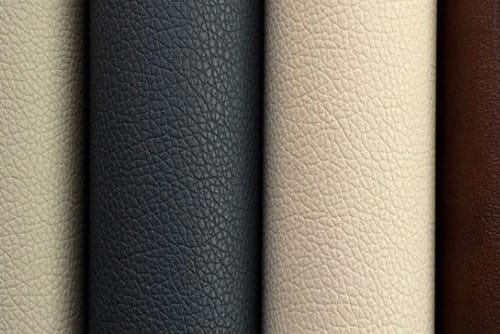
Printing on leather is an important surface-finishing process for manufacturers that want to create distinctive colors, patterns, visual textures, decorative effects, or branded designs on leather and synthetic leather materials.
In industrial production, however, successful printing is not simply a matter of transferring an image onto the surface. The substrate, surface coating, ink or printing medium, roller condition, web tension, printing pressure, line speed, drying conditions, and downstream finishing all affect the result.
This becomes especially important with PU and PVC synthetic leather. A printed pattern may look clear when it leaves the printing station but later reveal problems such as color variation, weak adhesion, blurred edges, registration errors, cracking, or gloss changes after embossing and other treatments.
For manufacturers planning or improving printing on leather, several factors deserve particular attention:
- Match the printing method to the substrate and design.
- Stabilize the surface before printing begins.
- Control web tension throughout continuous production.
- Maintain consistent ink or coating transfer.
- Balance printing pressure and line speed.
- Control drying according to the material and printing system.
- Check pattern registration across long production runs.
- Evaluate printing after embossing and other finishing processes.
- Record successful production settings for repeatability.
- Inspect the full material width rather than relying on one sample.
A reliable printing process therefore depends less on one machine specification and more on how accurately the entire surface-processing system can be controlled.
What Does Printing on Leather Mean?
Printing on leather refers to applying controlled colors, graphics, decorative patterns, repeated designs, or surface effects to leather or leather-like materials.
Industrial applications increasingly include synthetic materials such as artificial leather, which can be manufactured from polymer coatings combined with textile or other supporting structures.
Printing can produce:
- geometric patterns;
- floral designs;
- abstract surfaces;
- simulated natural grains;
- multicolor effects;
- logos;
- decorative lines;
- tonal gradients;
- surface shading.
Depending on the equipment, the process can be integrated with color matching, gloss adjustment, coating, and other finishing operations.
Printing Is Different from Embossing
Printing primarily changes the visual characteristics of the material.
Embossing changes the physical surface geometry.
A printed leather surface can therefore remain relatively flat while carrying complex visual patterns. An embossed material may have strong three-dimensional texture even when it uses only one basic color.
Manufacturers often combine the two processes to create a surface with both visual and tactile depth.
Why Surface Preparation Comes Before Printing
Many printing problems actually begin before the material reaches the printing unit.
If the substrate varies significantly, the printing system must continuously work with changing conditions.
Surface Cleanliness
Dust, fibers, oils, coating residues, and other contaminants can interfere with transfer and adhesion.
They may produce:
- missing print areas;
- pinholes;
- weak adhesion;
- repeated roller marks;
- uneven color.
Cleaning requirements should therefore be defined as part of the production process rather than treated only as a response to defects.
Surface Uniformity
Check the incoming material for:
- thickness consistency;
- coating uniformity;
- gloss variation;
- surface texture;
- wrinkles;
- dimensional stability.
A printing machine cannot fully compensate for a substrate that changes continuously across the roll.
Surface Compatibility
PU, PVC, coated textiles, and other synthetic surfaces do not necessarily interact with the same printing medium in the same way.
Manufacturers should verify compatibility between the surface layer and printing formulation before establishing large-scale production settings.
Main Industrial Methods for Printing on Leather
Different printing technologies serve different production requirements.
The best method depends on:
- design complexity;
- number of colors;
- material structure;
- production length;
- working width;
- required repeatability.
Roller and Gravure Printing
Roller-based systems are particularly useful for continuous industrial production.
A patterned or engraved roller transfers a controlled amount of coating or color onto the moving material surface.
This method is well suited to:
- repeating patterns;
- long rolls;
- continuous output;
- standardized surface designs;
- repeatable production.
Jinzhihang’s Artificial Leather Two-Plate/Three-Plate Processing Machine is designed for PU and PVC artificial leather surface processing, including printing, color matching, gloss enhancement, and color modification.
Digital Printing
Digital printing offers greater design flexibility because a physical engraved roller may not be required for every pattern.
It can be useful for:
- detailed graphics;
- design variation;
- customized patterns;
- multicolor artwork;
- sampling new designs.
The appropriate process still depends on substrate compatibility, drying technology, printing width, and required production throughput.
Transfer Printing
Transfer systems apply the design to another medium before transferring it to the leather surface.
Important variables can include:
- transfer temperature;
- pressure;
- contact time;
- substrate sensitivity;
- release behavior.
Screen-Based Printing
Screen printing can apply controlled layers of printing material through prepared screens.
It can be useful for certain decorative effects or applications where coating deposit needs to be controlled carefully.
Printing on Leather Methods Compared
| Printing Method | Main Advantage | Best-Fit Production | Key Control Issue |
|---|---|---|---|
| Roller/gravure printing | Stable pattern repetition | Continuous production | Roller and tension accuracy |
| Digital printing | Design flexibility | Frequently changing designs | Surface compatibility |
| Transfer printing | Separate pattern preparation | Suitable transfer-compatible surfaces | Heat and pressure |
| Screen printing | Controlled material deposit | Specialized decorative effects | Screen and coating consistency |
| Multi-stage surface printing | Multiple visual treatments | PU/PVC surface finishing | Process synchronization |
No single technology is ideal for every type of printing on leather.
The more useful question is whether the selected process fits the design frequency, substrate, surface quality, and production conditions required by the factory.
How Industrial Printing on Leather Works
A continuous process can generally be divided into several stages.
Step 1: Material Unwinding
The roll enters the line through the unwinding system.
Stable unwinding helps prevent sudden changes in web tension.
Step 2: Web Guiding
The material is positioned correctly before printing.
If the roll moves sideways, pattern position can change and usable material width may be reduced.
Step 3: Surface Preparation
Depending on the substrate, this stage may involve cleaning, coating preparation, or other pretreatment.
The goal is to create a surface capable of accepting the selected printing medium consistently.
Step 4: Pattern Transfer
The printing unit applies the required pattern.
Operators need to control:
- printing pressure;
- coating transfer;
- pattern position;
- material speed;
- roller condition.
Step 5: Drying or Curing
The newly applied layer must stabilize sufficiently before entering another process or being rewound.
Drying conditions should match both the printing chemistry and the substrate.
Step 6: Cooling and Stabilization
Where significant heat is involved, the material may need to stabilize before final winding.
Step 7: Rewinding
The finished material is collected under controlled tension.
Excessive rewinding tension can stretch flexible substrates and potentially alter pattern dimensions.
The Five Main Variables That Control Print Quality
1. Web Tension
Web tension is one of the most important variables in continuous printing on leather.
Synthetic leather is flexible and may stretch under load.
If the substrate stretches between printing stations, the spacing between printed elements also changes.
This becomes particularly visible in multicolor patterns.
Too Much Tension
Excessive tension may contribute to:
- material elongation;
- reduced width;
- distorted patterns;
- registration errors;
- curling after rewinding.
Too Little Tension
Insufficient tension may create:
- wrinkles;
- unstable tracking;
- poor roller contact;
- irregular pattern positioning.
The correct objective is stable material transport rather than maximum tension.
2. Printing Pressure
Pressure affects contact between the printing roller and the surface.
Insufficient pressure may cause incomplete transfer.
Excessive pressure may create:
- blurred pattern edges;
- coating spreading;
- surface deformation;
- unwanted gloss changes.
The ideal pressure should provide consistent transfer without unnecessarily compressing or distorting the substrate.
3. Line Speed
Production speed influences several process stages simultaneously.
Increasing speed can change:
- contact time;
- coating transfer;
- drying time;
- heat exposure;
- web stability.
A machine may have a high mechanical maximum speed, but the meaningful production speed is the rate at which acceptable material can be produced continuously.
4. Printing Medium Consistency
Changes in the printing medium can change:
- transfer amount;
- color density;
- edge definition;
- drying behavior.
Production control may therefore include monitoring characteristics such as viscosity and formulation consistency according to the selected printing system.
5. Drying Conditions
A print is not finished simply because it has left the roller.
The printed layer must reach an appropriate level of stabilization.
Insufficient drying may contribute to:
- smearing;
- blocking during winding;
- surface transfer;
- poor downstream handling.
Excessive thermal exposure may influence the material itself.
Why Registration Matters in Multicolor Printing
Registration describes how accurately different printed elements align with one another.
Imagine a three-color geometric design.
The first color is applied correctly. Before the second station, the material stretches slightly. The second print position is therefore no longer perfectly aligned with the first.
By the third station, the difference may become even more visible.
The printing rollers can all be correctly manufactured while the finished material still has poor registration.
What Causes Registration Errors?
Common process factors include:
- tension variation;
- substrate stretching;
- roller synchronization;
- web tracking;
- dimensional change;
- unstable speed.
How to Diagnose Registration Problems
Observe whether the misalignment:
- remains constant;
- increases gradually;
- appears only during acceleration;
- occurs only with certain substrates.
A gradually increasing error often points toward material dimensional behavior or synchronization rather than a simple fixed roller-position issue.
Printing on PU Leather vs PVC Leather
Both PU and PVC synthetic materials can be surface printed, but process conditions should be developed for the actual substrate.
| Factor | PU Leather | PVC Leather |
|---|---|---|
| Surface structure | Can vary significantly by coating system | Depends on PVC formulation and finish |
| Flexibility | Often important process variable | Can range from flexible to relatively firm |
| Temperature response | Requires controlled evaluation | Thermal conditions also require control |
| Backing influence | Can significantly affect web behavior | Also important in composite structures |
| Printing compatibility | Must be verified with surface coating | Must be verified with surface formulation |
| Best practice | Test actual production material | Test actual production material |
The important point is not to assume that one successful machine recipe will work equally well for every synthetic leather structure.
How Printing and Embossing Work Together
Printing and embossing can create a more sophisticated surface when they are planned together.
A common production sequence may be:
surface preparation → printing → drying → embossing → protective finishing → inspection.
Printing Before Embossing
Printing first allows the embossing stage to add physical depth beneath the design.
Raised and recessed regions can make printed colors appear visually different because of changes in light reflection.
Heat and pressure can also influence the printed surface.
For this reason, final color approval should normally reflect the finished production sequence.
Embossing Before Printing
Printing after embossing can selectively highlight parts of the grain.
Depending on the process, raised portions can receive a different visual treatment from recessed portions.
Registered Print and Texture
Some designs require printed graphics to align directly with embossed texture.
These applications place higher demands on:
- web tension;
- dimensional stability;
- pattern repeat;
- roller synchronization.
Even small stretching can gradually cause the two patterns to move out of alignment.
How to Prevent Uneven Color
Uneven color is one of the most obvious quality problems in printing on leather.
The cause, however, is not always the color formulation.
Possible sources include:
- uneven substrate surface;
- changing coating viscosity;
- irregular roller pressure;
- contamination;
- inconsistent drying;
- web instability.
Check the Defect Pattern
Where the defect occurs can provide useful information.
If the same side of every roll appears lighter, investigate systematic machine conditions.
If the variation appears only with one substrate batch, material differences deserve closer attention.
If the color changes gradually through a production run, inspect process variables that can drift over time.
Why Pattern Edges Become Blurred
A sharp printed pattern depends on controlled transfer.
Blurred edges can result from:
- excessive printing medium;
- inappropriate viscosity;
- excessive pressure;
- unstable web movement;
- surface contamination;
- roller contamination.
Increasing pressure to improve coverage may actually make the edge definition worse.
This is why troubleshooting should consider the complete printing condition.
How to Diagnose Repeating Print Defects
Repeating defects are particularly useful because they often reveal a mechanical relationship.
Suppose a surface mark appears at regular intervals throughout the roll.
Possible sources include:
- a contaminated roller;
- damaged engraving;
- a damaged contact surface;
- material buildup on a rotating component.
Measure the repetition distance and compare it with the circumference or repeating movement of relevant machine components.
This can significantly narrow the troubleshooting process.
How to Test Printing on Leather Before Full Production
A short attractive sample is useful, but it does not prove industrial stability.
The test should reproduce realistic production conditions.
Test Different Substrates
Include:
- most common material;
- soft material;
- firmer material;
- thin structure;
- thick structure;
- highly flexible backing;
- textured surface.
Run a Longer Trial
Longer production reveals issues that a short sample may hide.
Monitor:
- pattern registration;
- color stability;
- drying;
- tension;
- tracking;
- roller contamination.
Inspect the Full Width
Samples should be taken from:
- left;
- center;
- right.
This can reveal side-to-side differences in pressure, temperature, surface condition, or material behavior.
Compare Different Stages of the Roll
Evaluate material from:
- startup;
- middle production;
- later production.
This helps detect gradual drift.
How to Evaluate Printed Leather Quality
Appearance should be evaluated systematically rather than only by quick visual judgment.
Pattern Definition
Look closely at:
- lines;
- boundaries;
- fine details;
- repeated elements.
Patterns should remain recognizable and stable through the production length.
Color Uniformity
Compare areas across both the width and length.
Use a defined reference rather than relying only on operator memory.
Surface Adhesion
The printing layer needs to remain stable during expected later operations.
Flexibility
Printed surfaces can be evaluated after bending or flexing to reveal problems that may not be visible while the material remains flat.
Dimensional Stability
Check whether the pattern or material dimensions change after the web tension is released.
Downstream Performance
The strongest evaluation often occurs after the next manufacturing processes.
For example:
printing → embossing → lamination → cutting → sewing.
If a print fails only after embossing, the printing process may still need modification.
Create a Repeatable Printing Recipe
One of the most useful improvements in industrial production is converting operator experience into documented process settings.
For each regular design, record:
- substrate code;
- material thickness;
- pattern identification;
- printing medium;
- roller configuration;
- pressure setting;
- line speed;
- web tension;
- drying parameters;
- downstream finishing;
- approved reference.
A detailed leather printing machine process guide also shows how material feeding, roller transfer, printing pressure, drying, and control systems operate as connected parts of the industrial printing process.
Why Process Recipes Matter
Without documentation, successful results can depend too heavily on individual operators.
This becomes difficult when production includes many:
- patterns;
- substrates;
- colors;
- working widths.
A validated recipe provides a known starting point for each repeated product.
Quality Control for Printing on Leather
A practical quality-control system can be divided into four stages.
Before Production
Check:
- correct substrate;
- surface condition;
- roller identification;
- machine cleanliness;
- printing medium;
- process recipe.
During Startup
Approve a limited initial section.
Inspect:
- color;
- pattern clarity;
- registration;
- surface appearance;
- drying.
During Continuous Production
Inspect at planned intervals.
Check both:
left → center → right
and:
beginning → middle → later production.
This reveals both cross-web variation and process drift.
After Production
Allow the material to reach the appropriate stable condition and evaluate:
- finished roll appearance;
- print stability;
- dimensions;
- adhesion;
- rewinding quality.
Maintenance That Protects Print Quality
Printing consistency depends on machine condition.
Keep Rollers Clean
Accumulated coating can alter:
- transfer amount;
- pattern clarity;
- roller contact.
Fine pattern details are particularly sensitive to contamination.
Inspect Roller Surfaces
Check for:
- scratches;
- damage;
- wear;
- deposits.
A damaged roller can repeatedly reproduce the same defect.
Maintain the Web-Handling System
Inspect:
- guiding components;
- bearings;
- tension control;
- drives;
- sensors.
Web instability may appear to be a printing defect even when the printing section itself is functioning correctly.
Check Drying Performance
Drying systems should operate consistently across the working width.
Uneven drying can create differences in both appearance and surface performance.
Common Mistakes in Industrial Printing on Leather
Focusing Only on Color
Color is important, but good color does not compensate for:
- poor registration;
- weak adhesion;
- dimensional instability;
- blurred patterns.
Choosing Maximum Speed
A faster process is useful only if quality remains stable.
Usable production speed is more meaningful than the machine’s maximum mechanical speed.
Testing Only One Substrate
One easy material does not represent an entire production range.
Use difficult substrates during testing.
Ignoring Web Tension
Pattern accuracy depends on substrate dimensions.
A printing system cannot maintain perfect registration if the material itself is continuously stretching.
Approving the Print Before Downstream Finishing
Embossing, coating, lamination, heat, and handling can change the final surface.
Approval should reflect the actual finished manufacturing route.
Changing Several Parameters at Once
If pressure, speed, tension, and drying are changed simultaneously, it becomes difficult to identify which adjustment actually improved the result.
Controlled testing generates more useful production knowledge.
A Practical Printing on Leather Process Checklist
| Question | Why It Matters |
|---|---|
| What substrate is being printed? | Determines surface compatibility |
| Is the material dimensionally stable? | Affects pattern accuracy |
| What design is required? | Determines printing technology |
| How many colors are involved? | Affects registration requirements |
| What working width is needed? | Determines equipment configuration |
| Is the surface already textured? | Influences coating transfer |
| What line speed is required? | Affects contact and drying |
| What happens after printing? | Determines final quality standards |
| Will the material be embossed? | May change color and pattern appearance |
| Can successful settings be reproduced? | Determines production consistency |
This checklist is more useful than evaluating a printing system only through maximum speed or working width.
Conclusion
Printing on leather should be treated as an integrated surface-engineering process rather than simply adding color to a material.
Successful industrial printing depends on stable substrates, accurate web handling, controlled pressure, consistent printing media, reliable registration, appropriate drying, and coordination with embossing, lamination, and other finishing processes.
The strongest production strategy is to test real materials, document successful settings, inspect the complete material width, monitor conditions throughout longer production runs, and evaluate printed surfaces after their downstream processes.
When a pattern can be reproduced not only once, but repeatedly across different rolls and production runs, printing becomes a controlled manufacturing process rather than a visual trial-and-error operation.
For synthetic leather manufacturers, that repeatability is particularly important because surface appearance is often one of the most visible indicators of production consistency.
FAQ
What is printing on leather?
Printing on leather is the process of applying colors, graphics, patterns, or decorative surface effects to leather or synthetic leather. Industrial methods can include roller, gravure, digital, transfer, and screen-based printing depending on the material and required design.
Can printing on leather be used on PU and PVC materials?
Yes. PU and PVC synthetic leather can be printed when the surface coating, printing medium, drying process, and machine settings are compatible. Because different material structures respond differently, manufacturers should test actual production samples before standardizing parameters.
What causes blurred patterns when printing on leather?
Blurred patterns may result from excessive printing material, unsuitable viscosity, high roller pressure, unstable web movement, contaminated rollers, or surface variation. The best diagnosis identifies where the pattern first loses definition instead of adjusting pressure alone.
How can manufacturers improve color consistency when printing on leather?
Use stable substrates, approved reference samples, controlled printing formulations, clean rollers, consistent pressure, stable web tension, suitable drying conditions, and regular inspection across the roll. Successful production parameters should also be documented for repeat runs.
Can printing on leather be combined with embossing?
Yes. Printing and embossing are often combined to create surfaces with both color and three-dimensional texture. Printing may be completed before or after embossing depending on the desired effect, while registered designs require particularly accurate tension and dimensional control.